openclaw阿里云机器飞书部署版
星期三, 2026-03-11 | Author: Lee | AI | 410 views

阿里云也推出了一站式部署openclaw,和腾讯云稍微不同的是用admin用户进行启动的,和腾讯云直接root的用起来就是有点麻烦了,稍微麻烦了点
记录下踩点部分.
1.获取阿里云的机器 68一年,比腾讯云99的还便宜
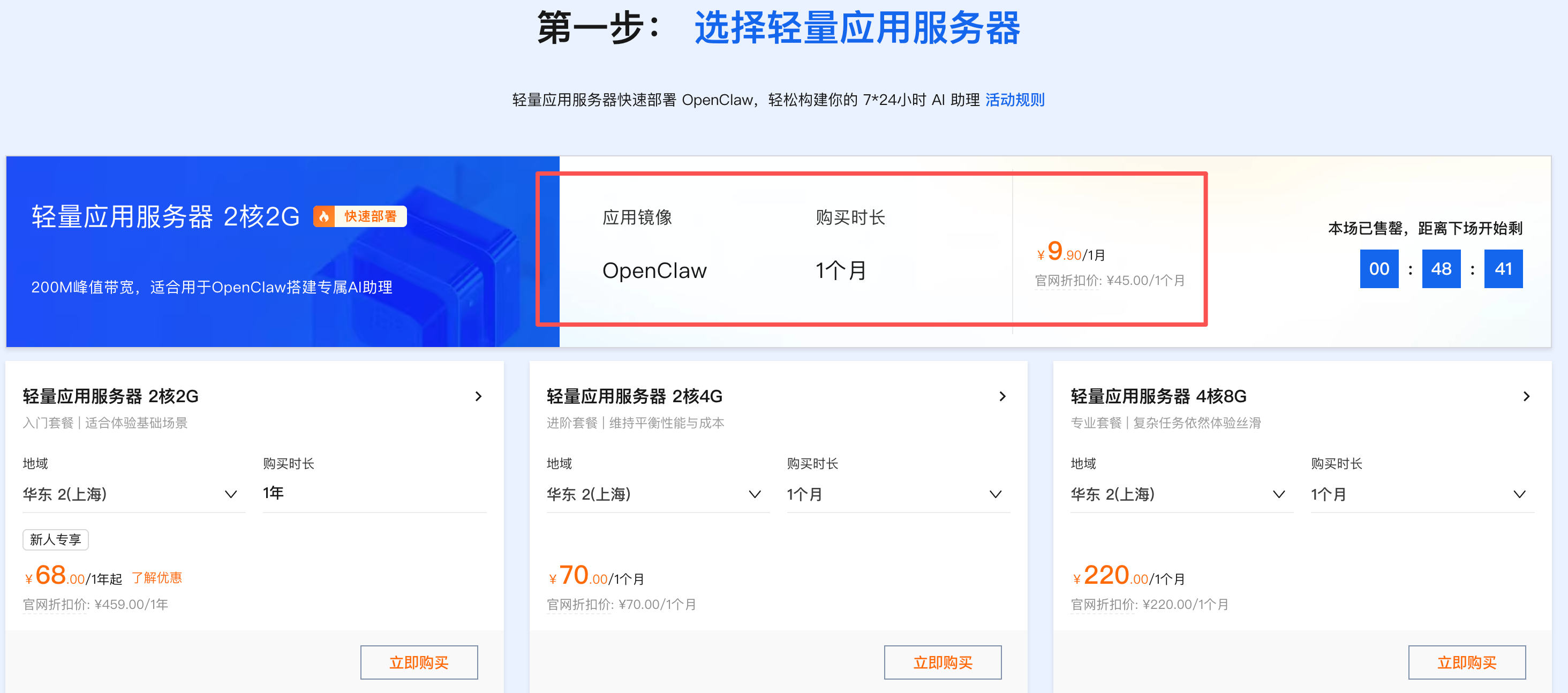
直接选带openclaw的系统即可,当前选中的是openclaw 2026.3.3版本
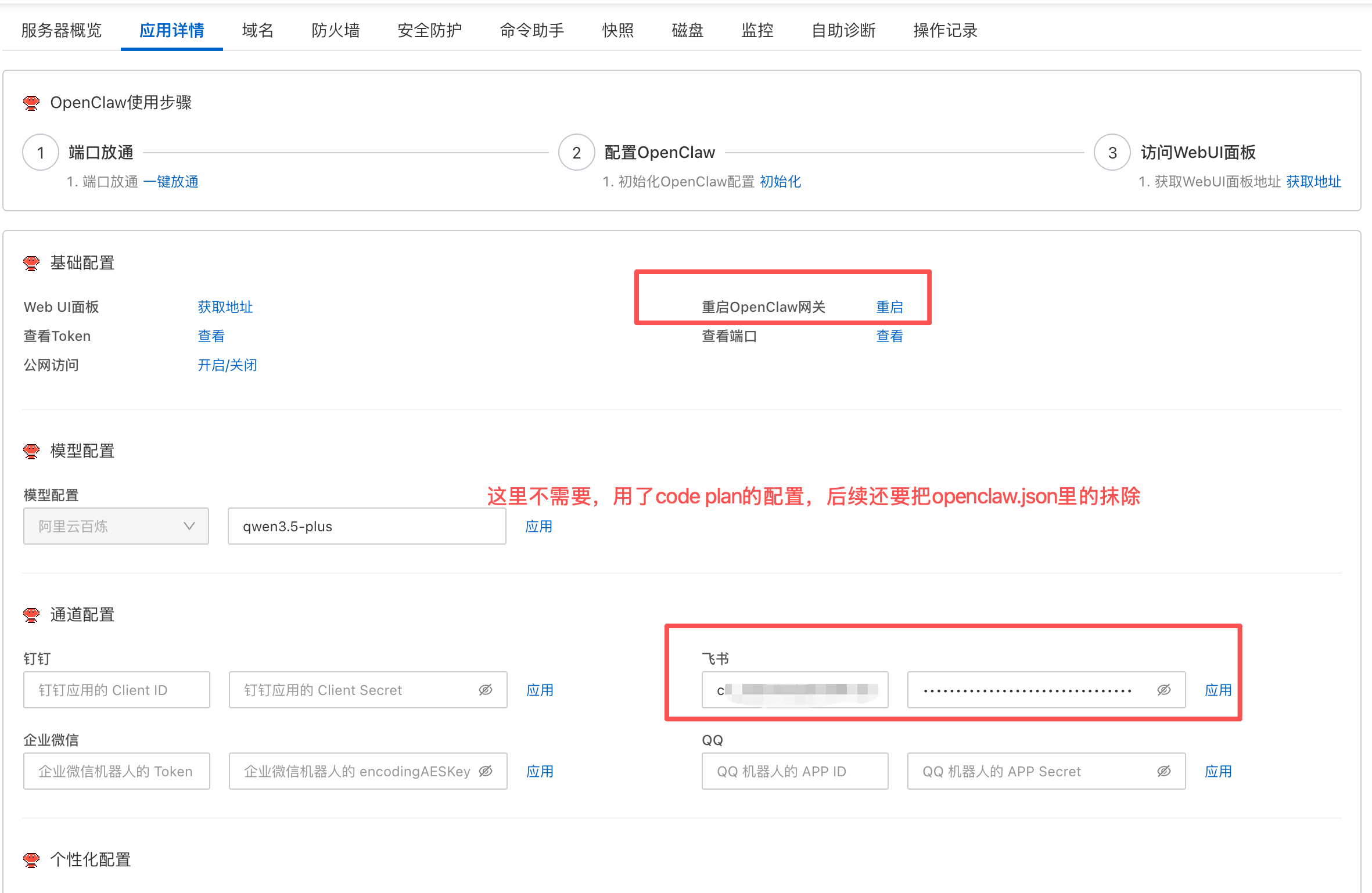
2.在控制台可以重启对应网关和直接填写飞书的appid和密钥部分,如下图
3.创建飞书的机器人应用获取对应的appid和密钥部分
https://open.feishu.cn/app?lang=zh-CN
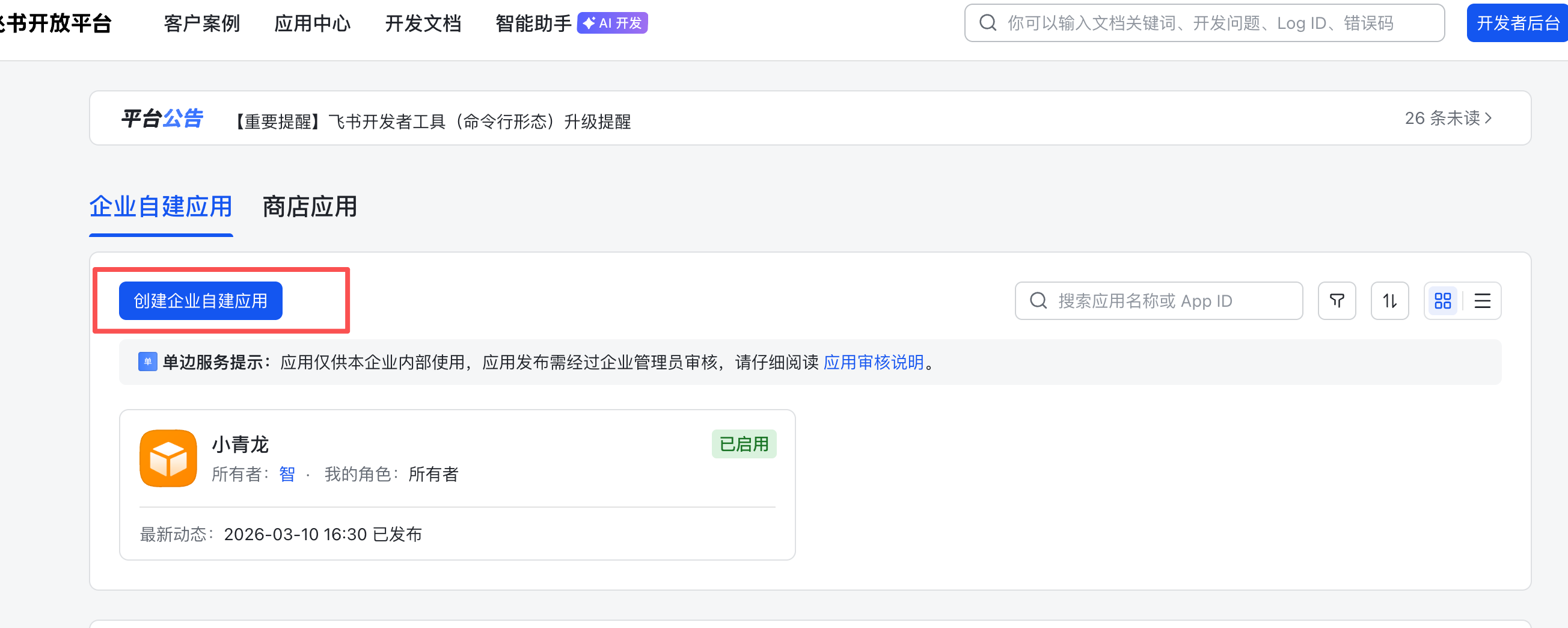
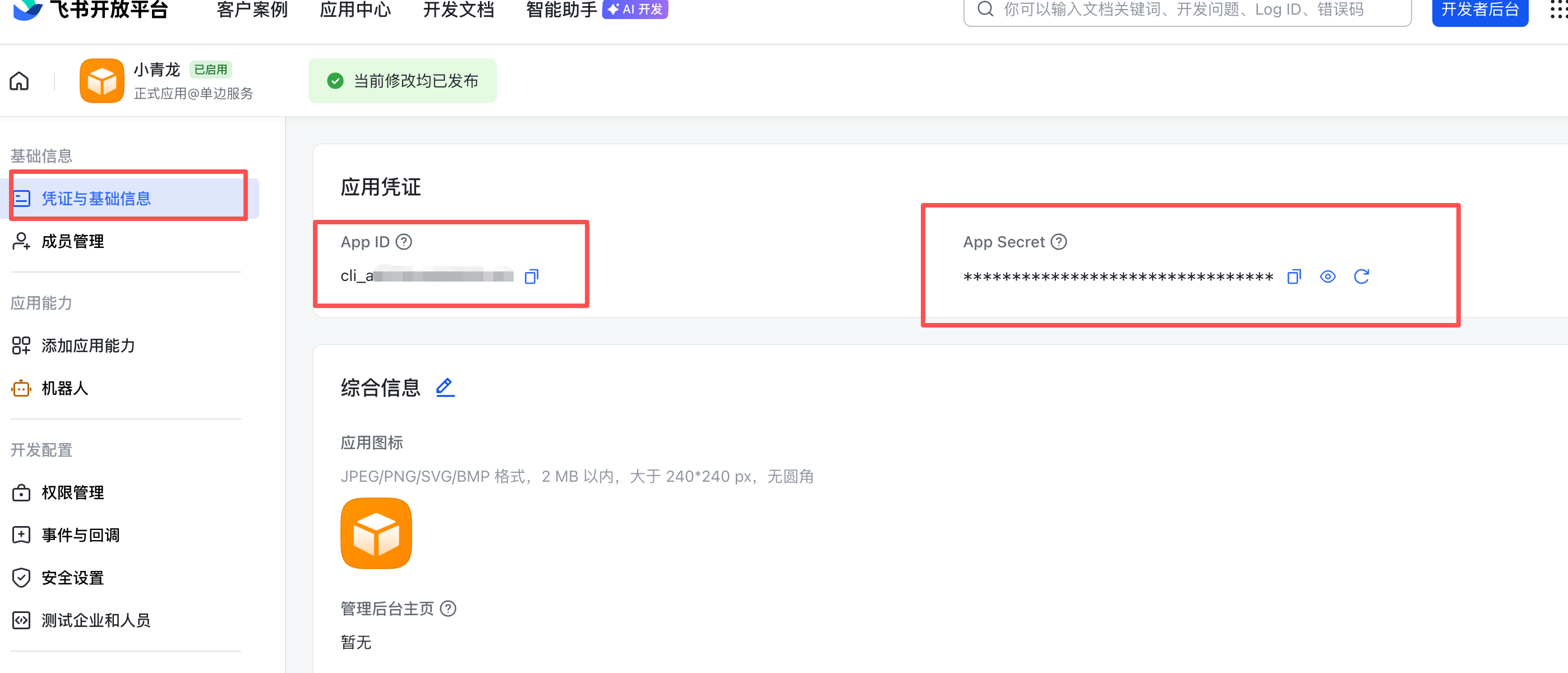
4.配置相关权限和通道信息(添加完成,要发布应用才可)
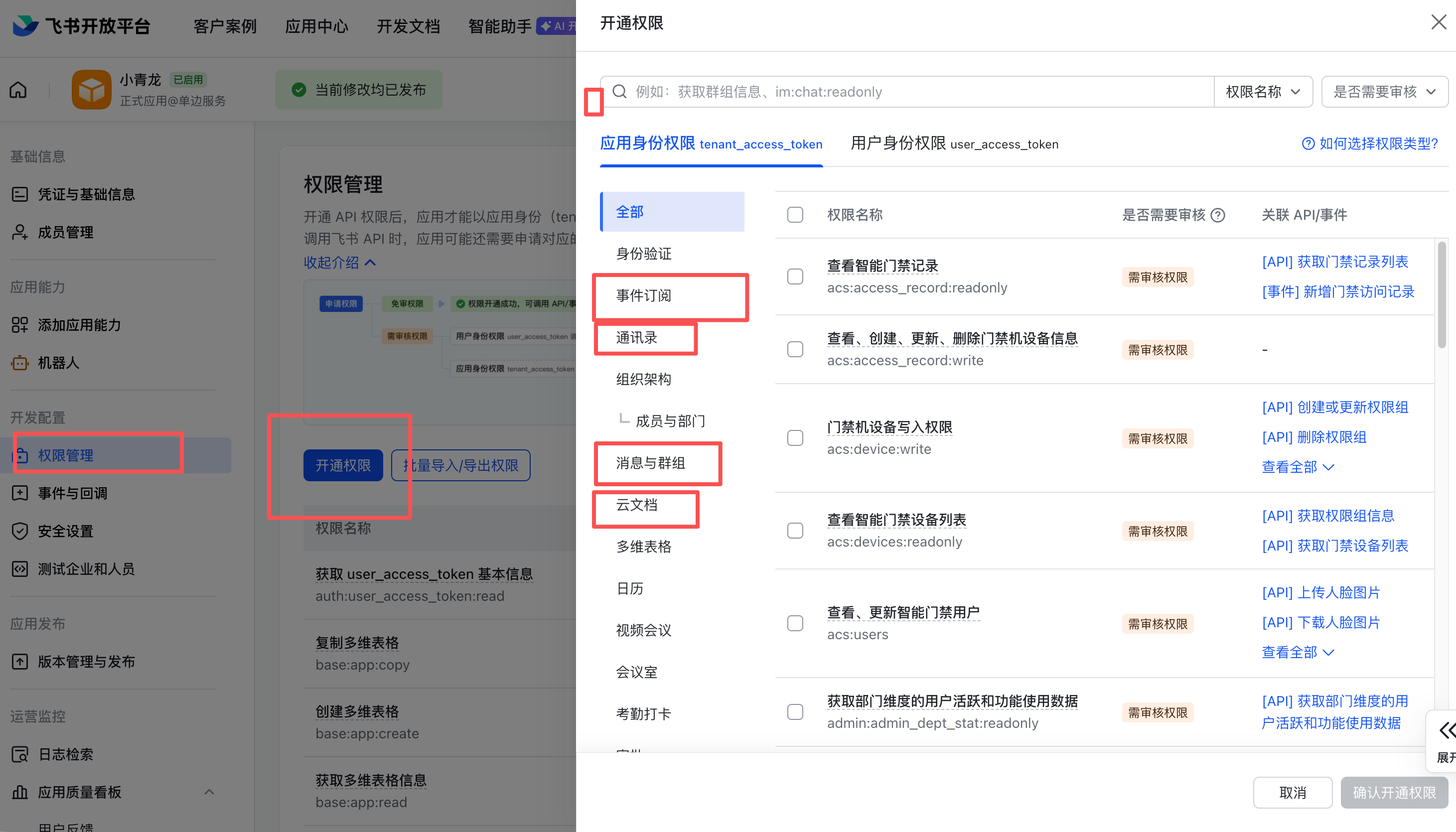
左侧边栏「权限管理」→ 「开通权限」,把“通讯录”、“消息与群组”、“云文档”和“多维表格”下面所有权限全开了,然后点击「确认」
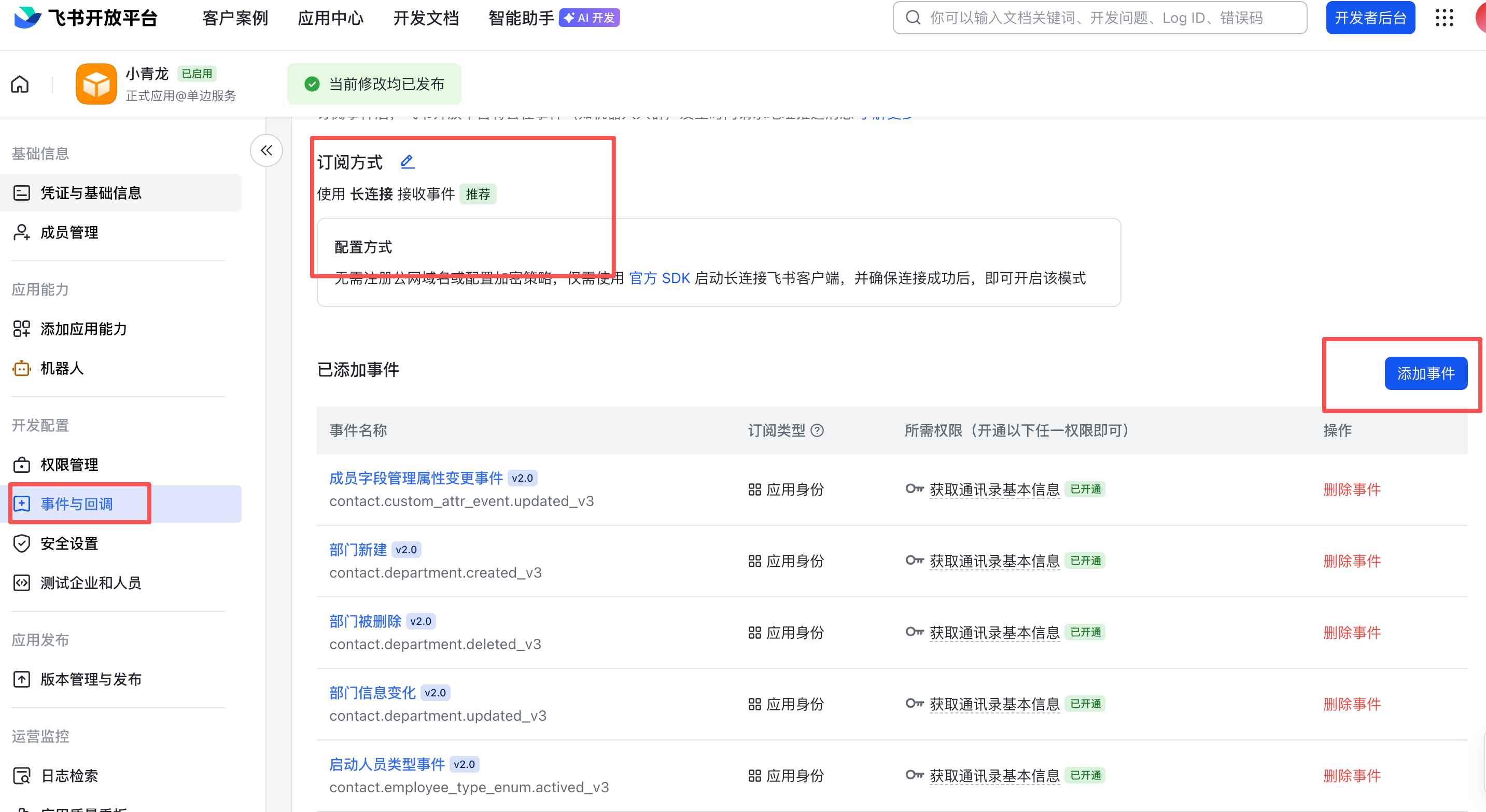
左侧菜单点击「事件与回调」
注意:如果这一步报错提示“应用未建立长连接”,请检查前面步骤中的机器人App ID和App Secret是否已正确配置
然后点击「添加事件」
把“通讯录”、“消息与群组”、“云文档”里所有的权限全勾选上
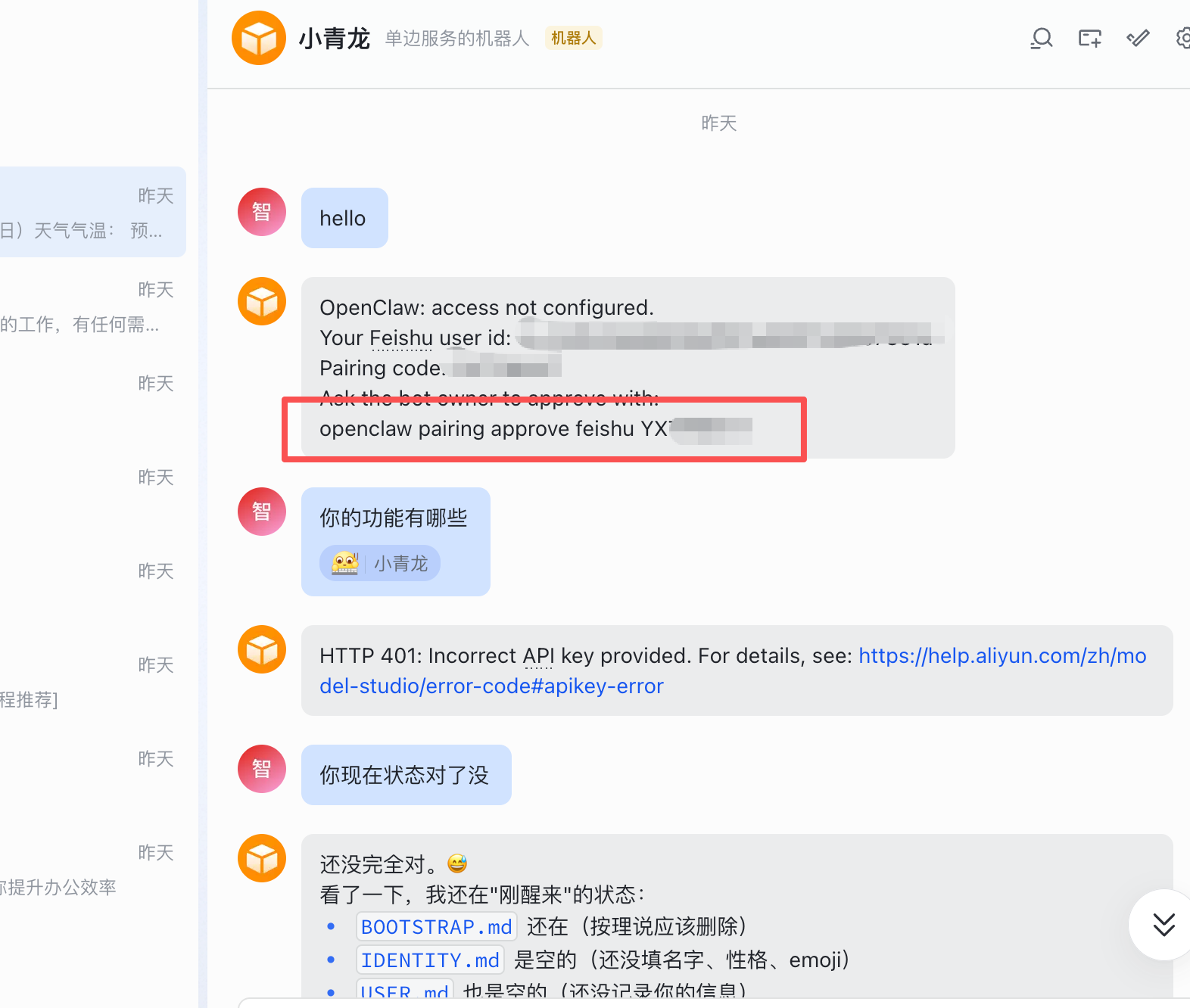
5.在飞书应用里搜索 刚才添加的机器人
在机器上执行 图上的安全授权的命令
openclaw pairing approve feishu 你的授权码
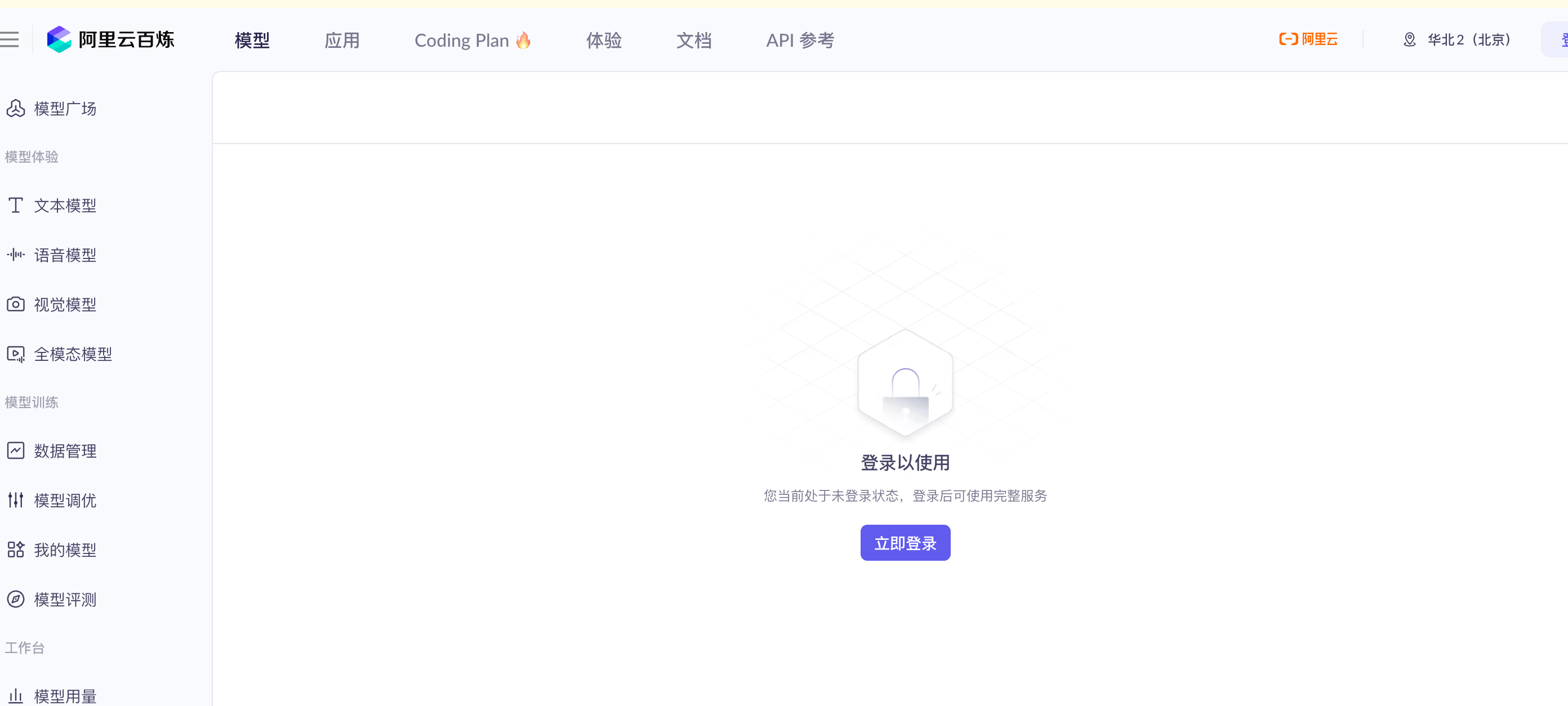
6.也看到了真正烧钱的tokens的还没有配置,这里使用是阿里的code plan的配置
可以根据你的机器情况选,北京还是新加坡和北美的地址,这里是北京的地址
https://bailian.console.aliyun.com/cn-beijing?tab=model#/efm/coding\_plan
7.登录机器更新对应的模型的配置 models部分
进入/home/admin/.openclaw/下修改 openclaw.json部分,调整模型,
飞书的在控制台已经添加了,这里也可以直接改
 "models": {
    "mode": "merge",
    "providers": {
      "bailian": {
        "baseUrl": "https://coding.dashscope.aliyuncs.com/v1",
        "apiKey": "sk-sp-xxxxxx", //这里是你的api-key的配置
        "api": "openai-completions",
        "models": [
          {
            "id": "qwen3.5-plus",
            "name": "qwen3.5-plus",
            "reasoning": false,
            "input": [
              "text",
              "image"
            ],
            "cost": {
              "input": 0,
              "output": 0,
              "cacheRead": 0,
              "cacheWrite": 0
            },
            "contextWindow": 1000000,
            "maxTokens": 65536
          },
          {
            "id": "qwen3-max-2026-01-23",
            "name": "qwen3-max-2026-01-23",
            "reasoning": false,
            "input": [
              "text"
            ],
            "cost": {
              "input": 0,
              "output": 0,
              "cacheRead": 0,
              "cacheWrite": 0
            },
            "contextWindow": 262144,
            "maxTokens": 65536
          },
          {
            "id": "qwen3-coder-next",
            "name": "qwen3-coder-next",
            "reasoning": false,
            "input": [
              "text"
            ],
            "cost": {
              "input": 0,
              "output": 0,
              "cacheRead": 0,
              "cacheWrite": 0
            },
            "contextWindow": 262144,
            "maxTokens": 65536
          },
          {
            "id": "qwen3-coder-plus",
            "name": "qwen3-coder-plus",
            "reasoning": false,
            "input": [
              "text"
            ],
            "cost": {
              "input": 0,
              "output": 0,
              "cacheRead": 0,
              "cacheWrite": 0
            },
            "contextWindow": 1000000,
            "maxTokens": 65536
          },
          {
            "id": "MiniMax-M2.5",
            "name": "MiniMax-M2.5",
            "reasoning": false,
            "input": [
              "text"
            ],
            "cost": {
              "input": 0,
              "output": 0,
              "cacheRead": 0,
              "cacheWrite": 0
            },
            "contextWindow": 1000000,
            "maxTokens": 65536
          },
          {
            "id": "glm-5",
            "name": "glm-5",
            "reasoning": false,
            "input": [
              "text"
            ],
            "cost": {
              "input": 0,
              "output": 0,
              "cacheRead": 0,
              "cacheWrite": 0
            },
            "contextWindow": 202752,
            "maxTokens": 16384
          },
          {
            "id": "glm-4.7",
            "name": "glm-4.7",
            "reasoning": false,
            "input": [
              "text"
            ],
            "cost": {
              "input": 0,
              "output": 0,
              "cacheRead": 0,
              "cacheWrite": 0
            },
            "contextWindow": 202752,
            "maxTokens": 16384
          },
          {
            "id": "kimi-k2.5",
            "name": "kimi-k2.5",
            "reasoning": false,
            "input": [
              "text",
              "image"
            ],
            "cost": {
              "input": 0,
              "output": 0,
              "cacheRead": 0,
              "cacheWrite": 0
            },
            "contextWindow": 262144,
            "maxTokens": 32768
          }
        ]
      }
    }
} |
还要调整部分agents使用的primary模型部分,这里的更改
"agents": {
    "defaults": {
       "model": {
        "primary": "bailian/qwen3.5-plus"
      },
      "models": {
        "bailian/qwen3.5-plus": {},
        "bailian/qwen3-max-2026-01-23": {},
        "bailian/qwen3-coder-next": {},
        "bailian/qwen3-coder-plus": {},
        "bailian/MiniMax-M2.5": {},
        "bailian/glm-5": {},
        "bailian/glm-4.7": {},
        "bailian/kimi-k2.5": {}
      },
      "workspace": "/home/admin/.openclaw/workspace",
      "compaction": {
        "mode": "safeguard"
      },
      "maxConcurrent": 4,
      "subagents": {
        "maxConcurrent": 8
      }
    }
} |
飞书的修改这部分
"channels": {
    "feishu": {
      "accounts": {
        "default": {
          "appId": "cli_xxxx",
          "appSecret": "xxxxx",
          "domain": "feishu",
          "enabled": true
        }
      }
    }
} |
8.在控制台重启OpenClaw网关即可
这里在飞书里就可以正常吩咐机器人干活了
9.踩坑 ssh登录后如何重启和操纵openclaw
我是root登录机器的,要用admin命令操作openclaw才行,使用下面命令切换下
sudo -iu admin export XDG_RUNTIME_DIR=/run/user/$(id -u) openclaw gateway restart |
否则会报这个错误,可让人烦躁
openclaw gateway restart
🦞 OpenClaw 2026.3.3 (unknown) — You had me at ‘openclaw gateway start.’
Gateway service check failed: Error: systemctl is-enabled unavailable: Cannot access user instance remotely.
10.收工收工,后续愉快的玩耍吧。



文章作者: Lee
本文地址: https://b.xuekewen.com/2444.html
除非注明,Pomelo Lee文章均为原创,转载请以链接形式标明本文地址
No comments yet.
Leave a comment

Search
相关文章
热门文章
最新文章
文章分类
- AI (4)
- ajax (10)
- algorithm-learn (3)
- amis (2)
- Android (6)
- as (3)
- computer (87)
- Database (30)
- disucz (4)
- enterprise (1)
- erlang (2)
- flash (5)
- golang (3)
- html5 (18)
- ios (4)
- JAVA-and-J2EE (186)
- linux (145)
- mac (10)
- movie-music (11)
- pagemaker (36)
- php (50)
- spring-boot (2)
- Synology群晖 (2)
- Uncategorized (6)
- unity (1)
- webgame (15)
- wordpress (33)
- work-other (2)
- 低代码 (1)
- 体味生活 (41)
- 前端 (21)
- 大数据 (8)
- 游戏开发 (9)
- 爱上海 (19)
- 读书 (4)
- 软件 (3)